An example of using Academic Analytics, behaviour notes and Ask AI together to spot achievement and share useful feedback with parents quickly.
- ManageBac+
- How-to
- Teacher
Enhancing Student Growth with Analytics-Informed Feedback
This example workflow shows how teachers and administrators can use ManageBac+’s Academic Analytics, Behavior Notes, and Ask AI together to recognise achievement, capture insights, and share meaningful feedback with parents quickly.
We actively welcome feedback from schools. Share feedback with the Product Team via Product Board
5-Step Workflow
Navigate to Academic Analytics
Navigate to Academic Analytics, and select a term, class, or student group to view performance trends, grades, effort scores, and improvement patterns. Select "Students" to focus on individual performance.
Filter by Performance Status and Select a Student
Apply filters such as Concern, On Track, Excellent or subject-specific performance. Click on a student's name to view their charts and analytics summary.
View Student Profile or Export Analytics Snapshot
From the filtered view, you can either:
- Open the Student Profile to continue to Behavior Notes, or
- Export the analytics snapshot for sharing or record use.
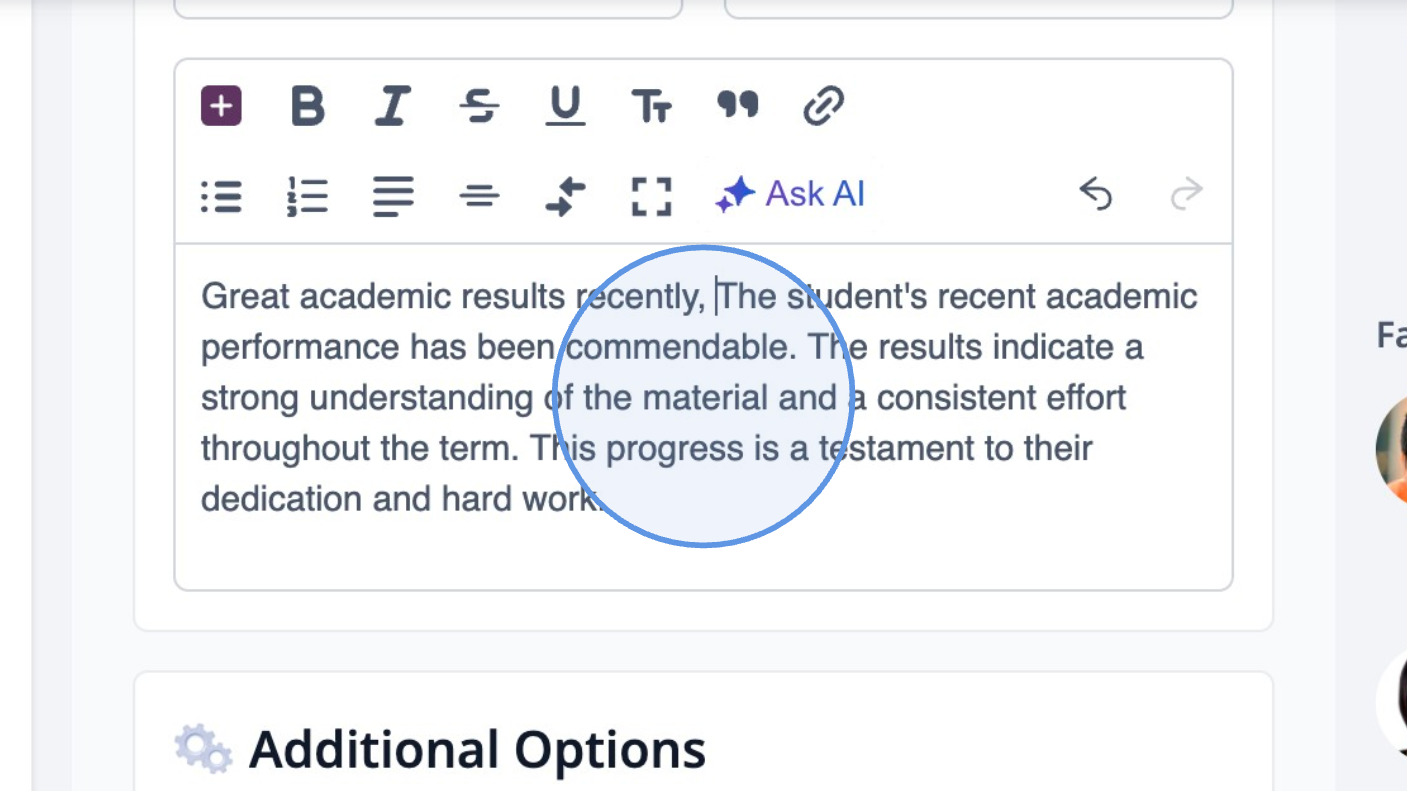
Create a Behavior Note using Ask AI
Navigate to Behavior & Discipline. Enter a comment, or click Ask AI and enter a simple prompt like:
Select the suggestion that accurately reflects the student’s analytics data, or refine as needed.
Post and Share with Parents
Once finalised, click Add Behaviour Note to save. You can also:
- Notify parents through ManageBac+ notifications
- Include the note in portfolios or end of term comments
- Use it in parent meetings or student reviews
Using Analytics to Flag Early Intervention and Negative Performance
Academic Analytics can also help identify students who may require early support. Teachers can combine submission status, grade declines, and attendance trends to inform timely interventions using Behavior Notes and Ask AI.
| Concern Type | How Analytics Identifies It | How Ask AI Helps Formalise the Intervention Note |
| Declining Academic Performance | Drop in term grades or noticeable downward trend over time | Generates supportive, improvement-focused feedback referencing academic data |
| Missing or Late Submissions | Submission status flags show late or incomplete work across subjects | AI helps phrase constructive reminders and follow-up actions for students |
| Decline in Attendance or Participation | Attendance drop alerts or less engagement seen in Analytics reports | AI drafts a professional, pastoral-style note reflecting attendance concerns |
| Lack of Effort or Engagement | Low effort scores or teacher-entered rubric feedback in Analytics | Produces detailed behaviour feedback and suggests next steps for improvement |
| Early Warning Indicator (at-risk) | Combination of attendance drop, grade decline, or engagement issues | Supports pastoral documentation and can be shared with advisors, coordinators, or parents |
What's New: Analytics Beta Release
Still need help?
Submit a request